


Description

Product Description
.aplus-v2 .container-with-background-image {
width: 100%;
height: 100%;
background-repeat: no-repeat;
background-size: cover;
}
function logShoppableMetrics(moduleName, showsAddToCart) {
if (window.ue && window.ue.count) {
window.ue.count(“aplus:shoppable:” + moduleName + “:addToCart”, showsAddToCart ? 1 : 0);
}
}

Multi Function & System Compatibility
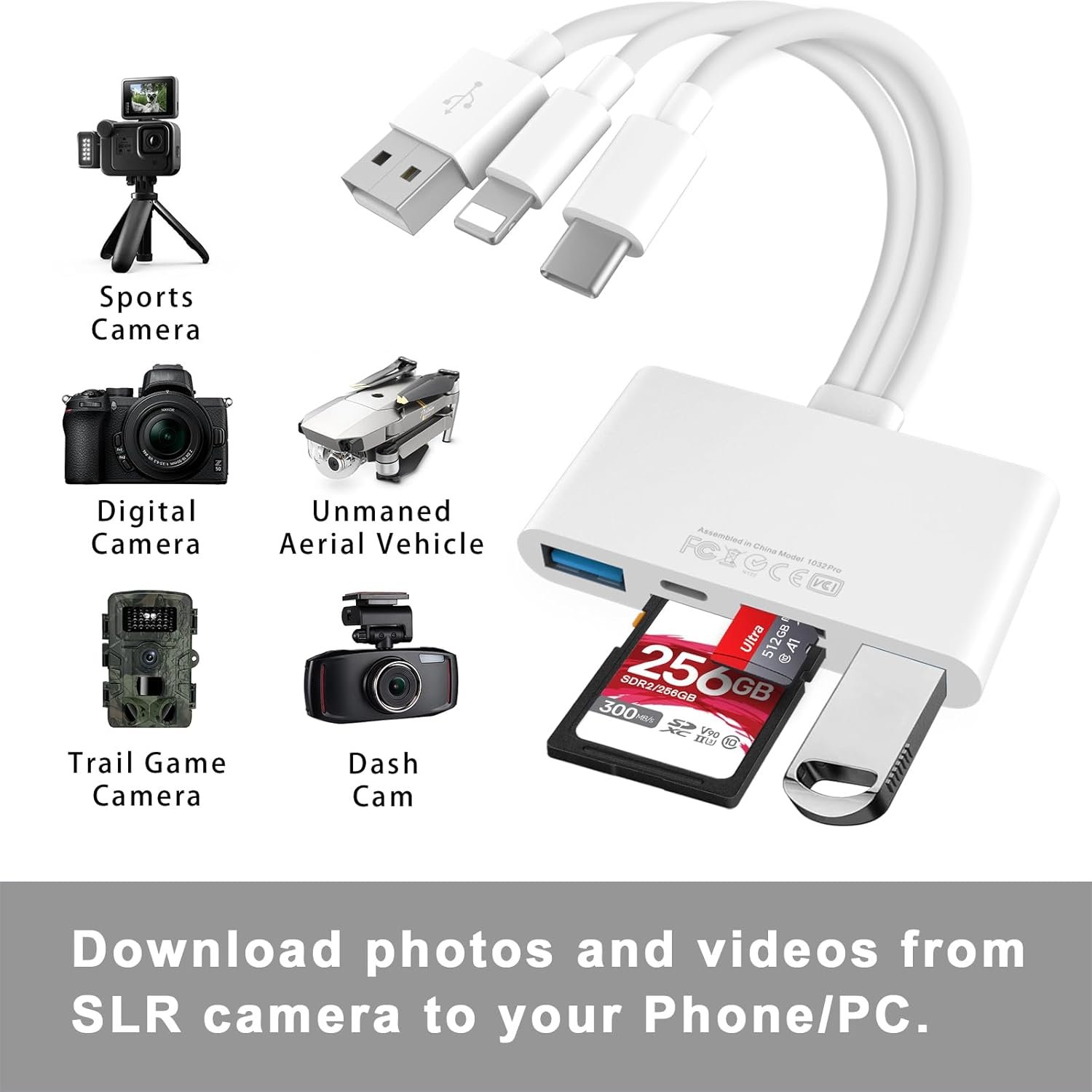
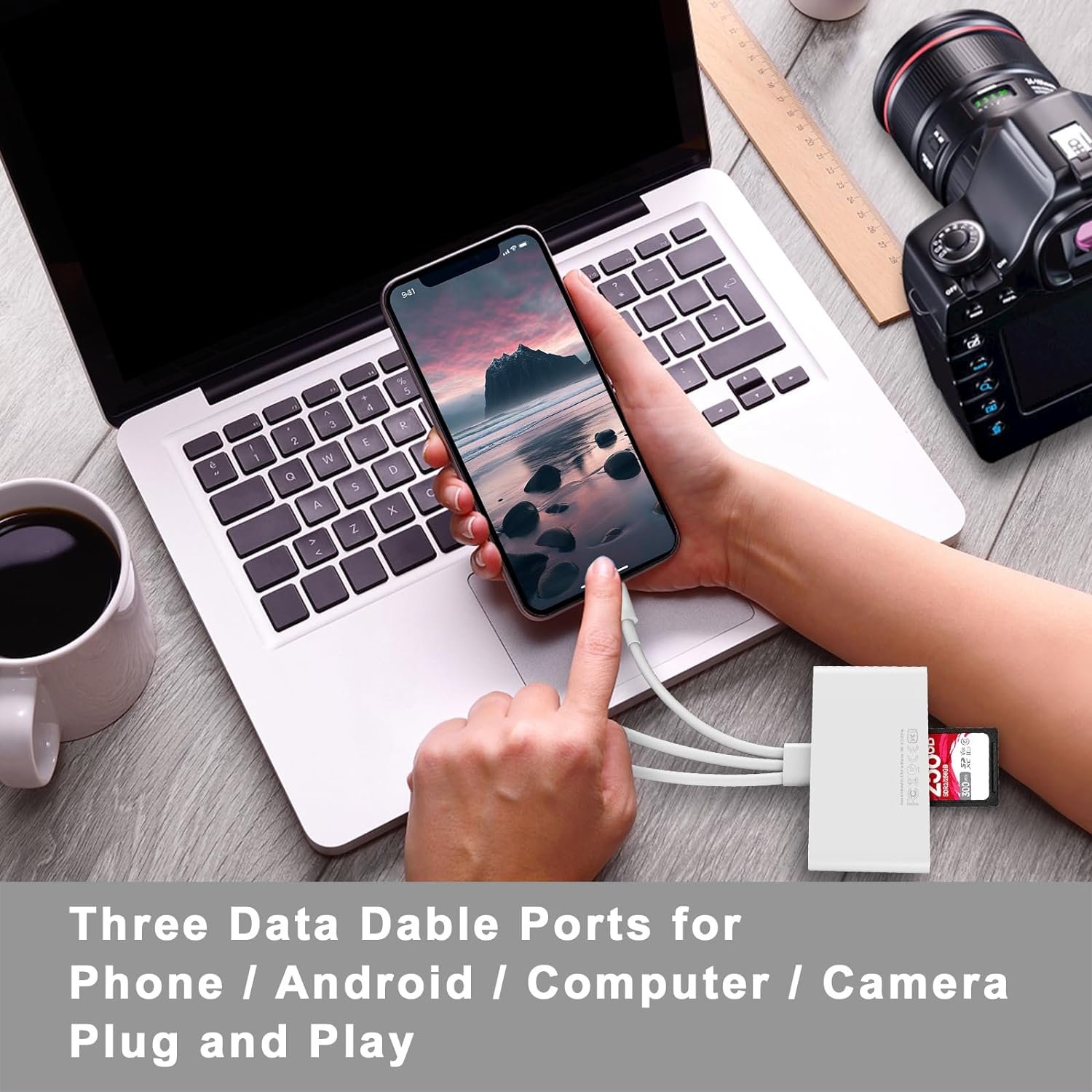
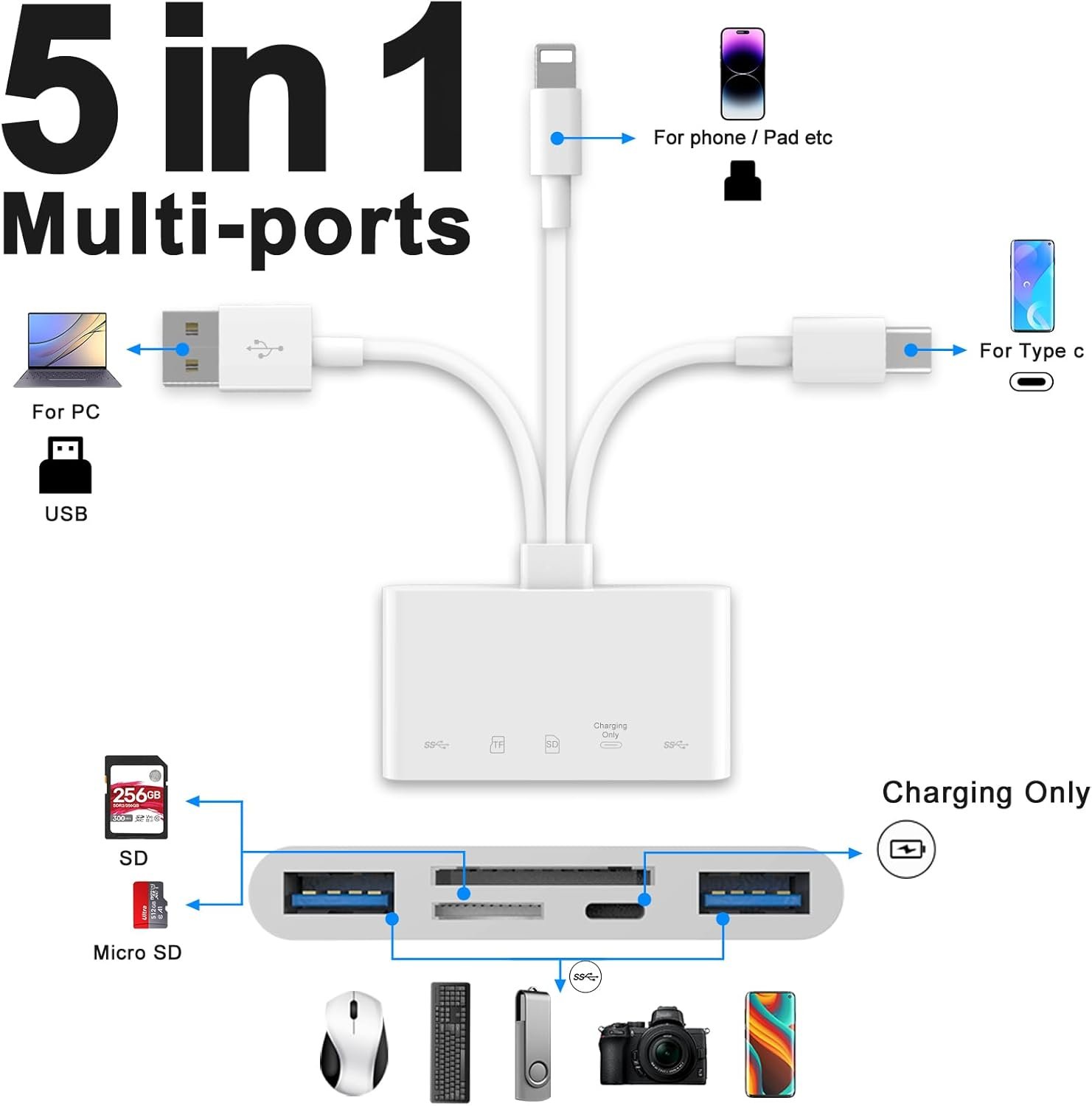
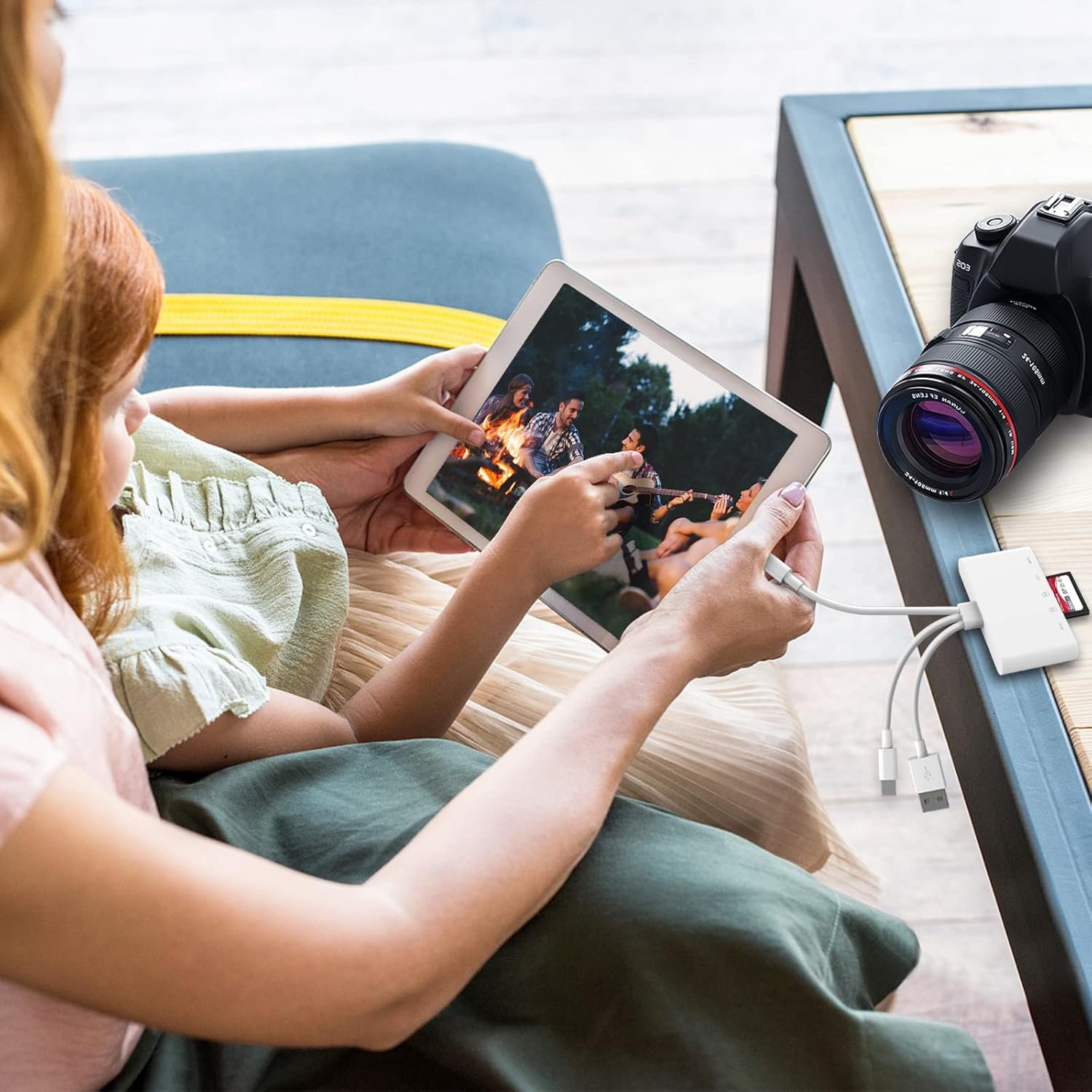
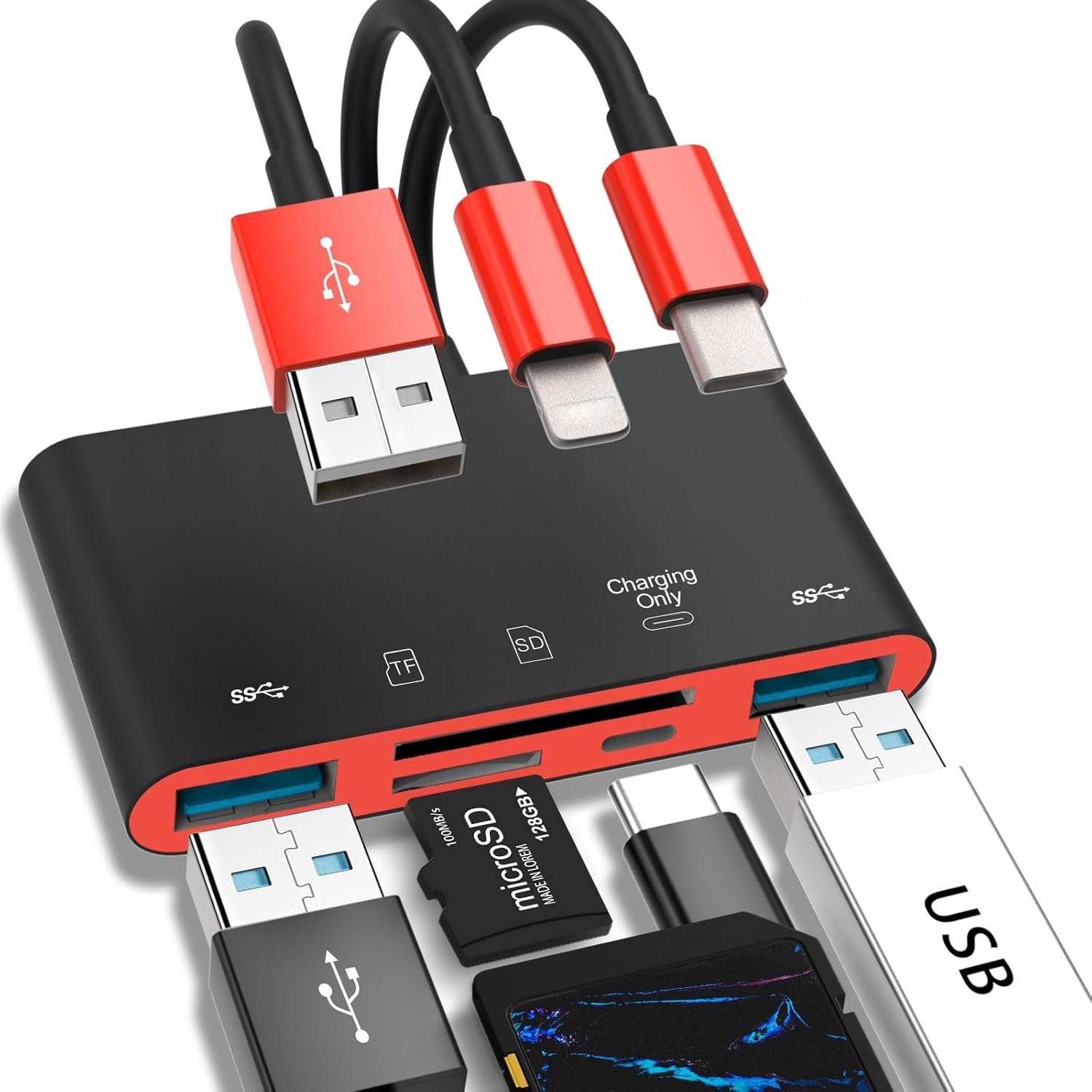
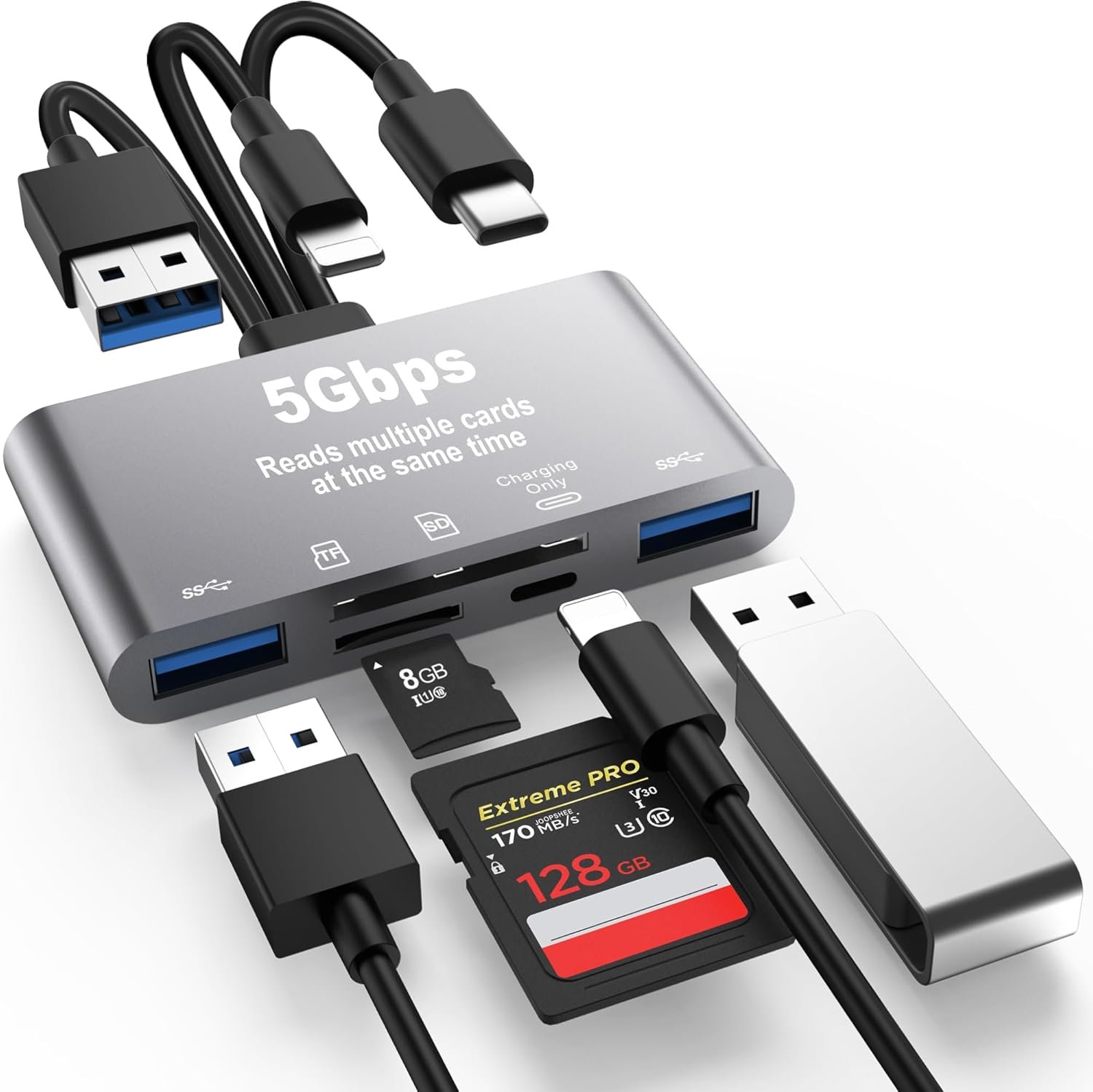
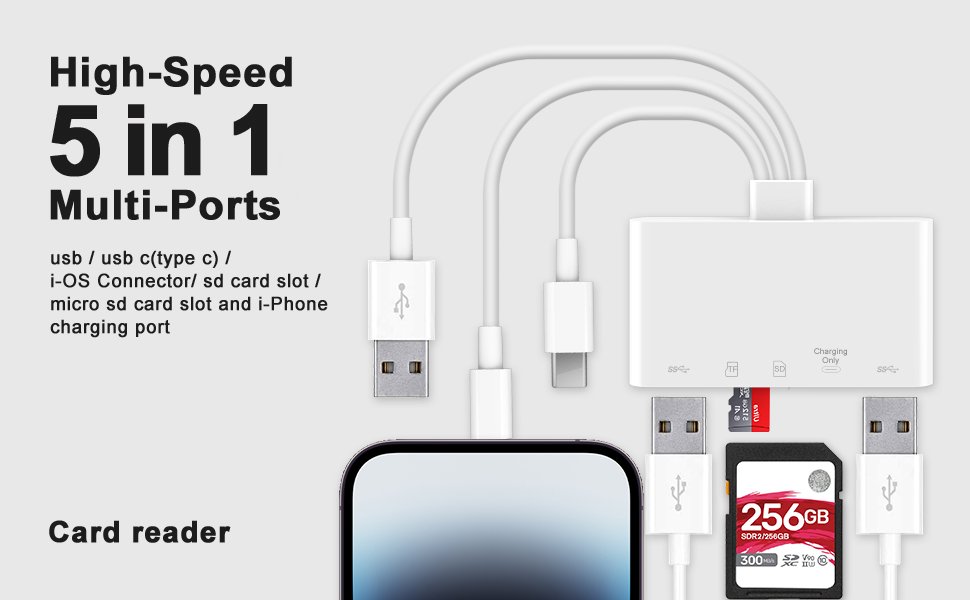
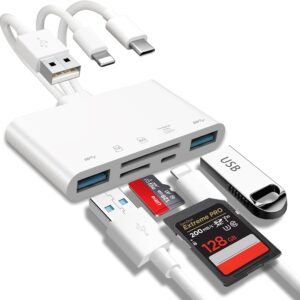
JOOPSHEE memory card reader has various interfaces, no WIFI, network or drivers required, super easy to use. usb / usb c(type c) / i – OS Connector/ sd card slot / micro sd card slot and i-Phone charging port for Phone/Pad, easily transfer photo video and file.
It can connect more USB peripherals, such as camera, TV, USB flash drives, card reader, etc. You can connect your PC keyboard or mouse to your Phone/Pad/PC via the USB camera adapter to Enjoy faster and easier chatting and typing while working.
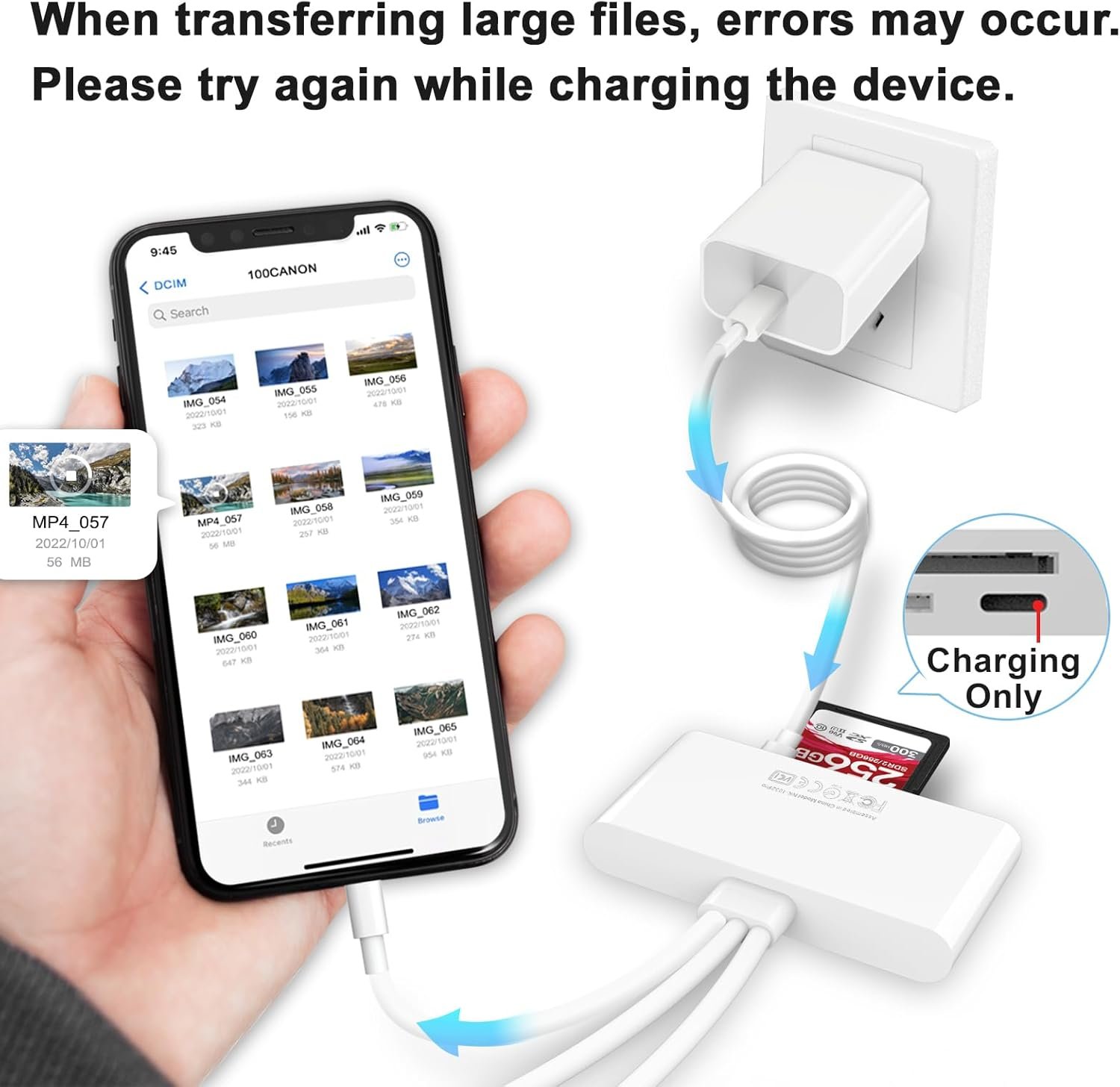
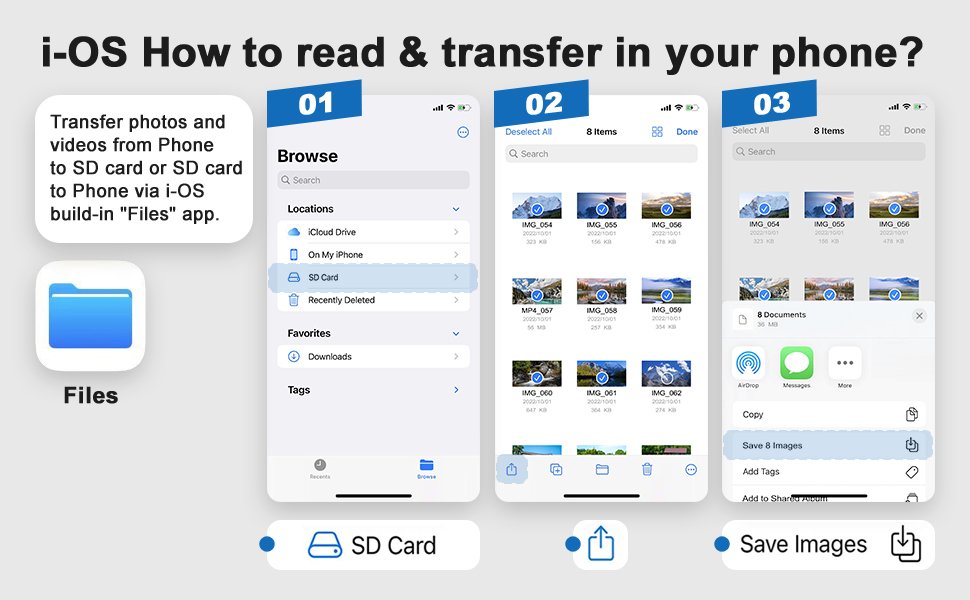
i-OS How to read & transfer in your phone?
Android How to read & transfer in your phone?

User Notes:
- Before inserting the SD card reader, make sure the memory card is oriented correctly.
- If you cannot transfer photos or videos, make sure the memory card is properly inserted into the micro SD card USB adapter. Disconnect the SD card reader from the memory card completely, then reconnect and try again.
- If the camera viewer prompts the data cable or accessories, it may be a bad contact, please unplug and reinsert. If there is a problem reinserting it again, please use a cotton swab dipped in alcohol to wipe the inside of the socket of the i- pad or i- Phone.
- The SD/TF card reader USB adapter supports standard photo formats, including JPER and RAW, as well as SD, HD video formats, and supports all i – OS devices with i – OS 13 and above and OTG Android phone/computer and other devices with USB port, The micro sd card reader supports up to 1TB memory cards and 512GB USB2.0 flash drives, the USB3.0 flash drives cannot exceed 128GB.

Versatile For Different Kinds of Equipment
Applicable to device interfaces: usb / usb c(type c) / i – OS Equipment
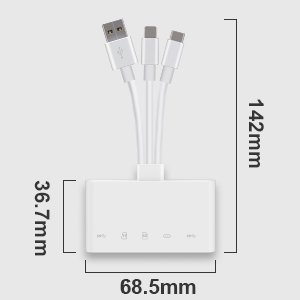
MINI SD Card Reader
- Length 5.6in,
- width 2.7in,
- height 0.4in

Carry it with you
The device is foldable and the perfect size to carry around
.aplus-v2 .container-with-background-image {
width: 100%;
height: 100%;
background-repeat: no-repeat;
background-size: cover;
}
.aplus-v2 .apm-brand-story-carousel-container {
position: relative;
}
.aplus-v2 .apm-brand-story-carousel-hero-container,
.aplus-v2 .apm-brand-story-carousel-hero-container > div {
position: absolute;
width: 100%;
}
/*
Ensuring the carousel takes only the space it needs.
The sizes need to be set again on the absolutely positioned elements so they can take up space.
*/
.aplus-v2 .apm-brand-story-carousel-container,
.aplus-v2 .apm-brand-story-carousel-hero-container {
height: 625px;
width: 100%;
max-width: 1464px;
margin-left: auto;
margin-right: auto;
overflow: hidden;
}
.aplus-v2 .apm-brand-story-carousel-hero-container,
.aplus-v2 .apm-brand-story-carousel-hero-container > div {
height: 625px;
}
.aplus-v2 .apm-brand-story-carousel.a-carousel-container {
padding: 0px;
}
/*
This centers the carousel vertically on top of the hero image container and after the logo area (125px).
Margin-top = (heroHeight – cardHeight – logoAreaHeight) / 2 + logoAreaHeight
*/
.aplus-v2 .apm-brand-story-carousel .a-carousel-row-inner {
margin-top: 149px;
}
/*
Cards need to have a width set, otherwise they default to 50px or so.
All cards must have the same width. The carousel will resize itself so all cards take the width of the largest card.
The left margin is for leaving a space between each card.
*/
.aplus-v2 .apm-brand-story-carousel .a-carousel-card {
width: 362px;
margin-left: 30px !important;
}
/* styling the navigation buttons so they are taller, flush with the sides, and have a clean white background */
.aplus-v2 .apm-brand-story-carousel .a-carousel-col.a-carousel-left,
.aplus-v2 .apm-brand-story-carousel .a-carousel-col.a-carousel-right {
padding: 0px;
}
.aplus-v2 .apm-brand-story-carousel .a-carousel-col.a-carousel-left .a-button-image,
.aplus-v2 .apm-brand-story-carousel .a-carousel-col.a-carousel-right .a-button-image {
border: none;
margin: 0px;
}
.aplus-v2 .apm-brand-story-carousel .a-carousel-col.a-carousel-left .a-button-image .a-button-inner,
.aplus-v2 .apm-brand-story-carousel .a-carousel-col.a-carousel-right .a-button-image .a-button-inner {
background: #fff;
padding: 20px 6px;
}
.aplus-v2 .apm-brand-story-carousel .a-carousel-col.a-carousel-left .a-button-image .a-button-inner {
border-radius: 0px 4px 4px 0px;
}
.aplus-v2 .apm-brand-story-carousel .a-carousel-col.a-carousel-right .a-button-image .a-button-inner {
border-radius: 4px 0px 0px 4px;
}
.aplus-v2 .aplus-review-right-padding {
padding-right: 0.1rem;
}
.aplus-v2 .aplus-review-right-padding {
padding-right: 0.1rem;
}
.aplus-v2 .aplus-review-right-padding {
padding-right: 0.1rem;
}
.aplus-v2 .aplus-review-right-padding {
padding-right: 0.1rem;
}
.aplus-v2 .aplus-review-right-padding {
padding-right: 0.1rem;
}
.aplus-v2 .aplus-review-right-padding {
padding-right: 0.1rem;
}






Reviews
There are no reviews yet.